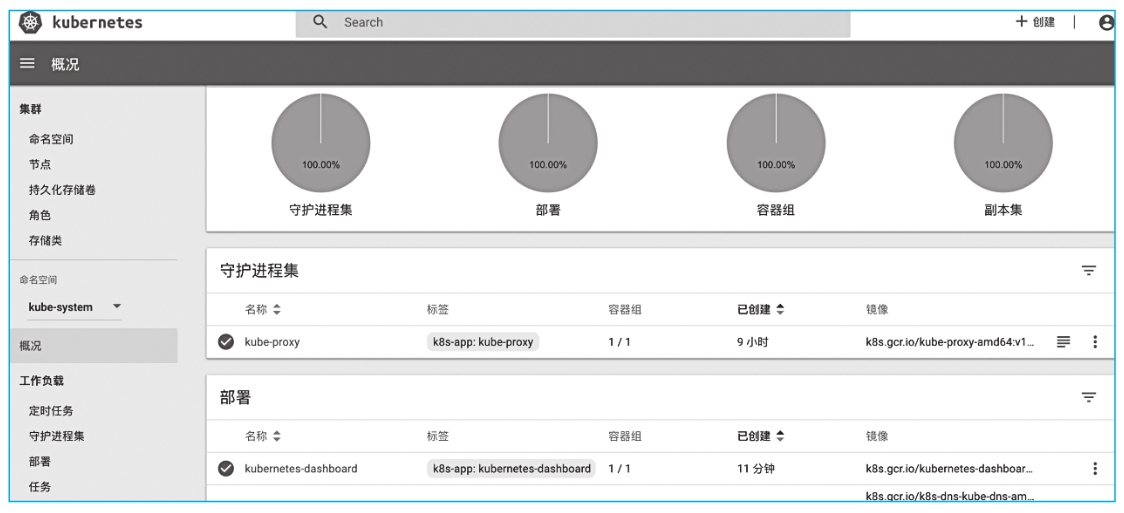
使用Helm安装和配置是将Istio安装到生产环境的推荐安装方式,因为Helm为Istio控制平面和数据平面Sidecar提供了丰富的配置。首先要在Kubernetes中安装Helm。可以根据Helm的官方文档安装,地址为https://github.com/helm/helm/blob/master/docs/install.md,安装好的Kubernetes如图2-10所示。
图2-10 查看安装好的Kubernetes
·在Mac OS上安装:
# Use homebrew on Mac
brew install kubernetes-helm
# Install Tiller into your Kubernetes cluster
helm init --upgrade -i
registry.cn-hangzhou.aliyuncs.com/google_containers/tiller:v2.12.2 --skip-refresh
# update charts repo (Optional)
helm repo update
·在Windows上安装:
# Use Chocolatey on Windows
# 注:安装的时候需要保证网络能够访问googleapis这个域名
choco install kubernetes-helm
# Install Tiller into your Kubernetes cluster
helm init --upgrade -i
registry.cn-hangzhou.aliyuncs.com/google_containers/tiller:v2.12.2 --skip-refresh
# update charts repo (Optional)
helm repo update